

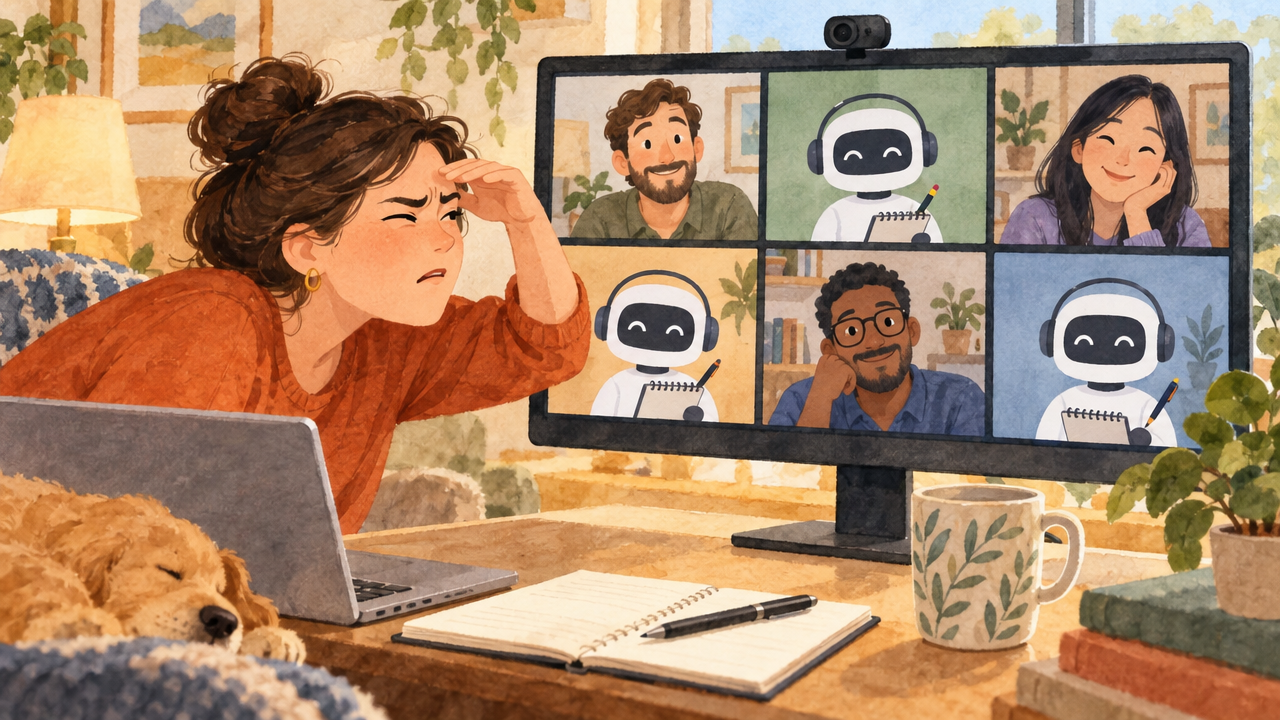
A sales call assistant works in one of two ways. It joins the meeting as a visible bot that records and transcribes, or it runs on the rep's own computer and listens without appearing in the call. Bots are easy to roll out across a team. Bot-free assistants keep the meeting human and suit live, in-call help.
Key takeaways
- Bots in meetings have quietly become normal, and buyers have noticed.
- A bot changes the room: people speak more carefully when they see a recorder.
- Bot-based tools suit team-wide recording and analytics.
- Bot-free tools suit live help for the rep, without the extra tile on screen.
- Bot-free should never mean consent-free. Buyers should always know an AI tool is listening.
I once joined a customer call with three people.
The participant list said six.
Three humans. Three bots. One note taker each, apparently, because nobody trusted anyone else's notes. I spent the first two minutes scrolling past robot tiles just to find my customer's face.
It felt less like a sales meeting and more like a press conference.
Why are there so many bots in sales meetings now?
Because AI note takers are easy to switch on, and most of them work by sending a bot into your call. Each person who installs one brings their own. Multiply that by everyone on the invite and you get my six-tile meeting.
I haven't personally seen a buyer walk out over it. But I've heard plenty of people complain about the experience, and honestly, I don't love it either.
Does a bot change how buyers talk?
Think about the last time you noticed “Recording” in the corner of a call. Did you share the slightly messy truth about your budget? Or the polished version?
That's the quiet cost. Sales runs on the buyer telling you what's really going on. A visible recorder in the room nudges people towards the safe answer. It also adds a tiny moment of awkwardness at the start: “Oh, is that your bot?” Not the opening you want for a discovery call.
Always follow your company's rules and local law on telling people a call is being recorded or transcribed, whichever kind of tool you use.
Bot vs no-bot: a quick comparison
| Bot joins the meeting | Runs on the rep's computer | |
|---|---|---|
| What the buyer sees | An extra participant tile | Nothing extra |
| Setup | Easy to enforce across a whole team | Each rep installs an app |
| Best for | Team-wide recording and call analytics | Live help for the rep during the call |
| Live answers on screen | Usually not the focus | Yes, the core job |
| Feel of the meeting | More formal, “we're being recorded” | Normal human conversation |
Neither is evil. If your leadership needs every call recorded and analysed across a big team, a bot-based tool may be the right call (Sunnyside vs Fireflies compares the two approaches). But if what your rep needs is help in the moment, the bot is mostly getting in the way.
Why Sunnyside never joins the meeting
That six-tile call is a big part of why Sunnyside has no bot. It runs on your computer and listens to the call audio you hear. Answers show only on your screen. Your buyer sees you, not a robot with a name like “Notetaker (Deepu)”.
During the call it answers from your own docs, pricing and past calls, names the source on every card, and stays quiet when it doesn't know. It works with Zoom, Google Meet, Microsoft Teams and Slack huddles.
Bot-free doesn't mean consent-free
No bot on screen is not a licence to listen quietly. We're very particular about consent, privacy and compliance at Sunnyside, so the product is built consent-first:
- A heads-up before the call. Sunnyside automatically emails your customer before the meeting. It tells them that Sunnyside AI, an ambient listening tool, will be joining the call on your end, and that they'll get highlights of the discussion and the action points.
- An easy way to say no. If they'd rather not, they simply reply “Sunnyside don't join”. Sunnyside won't join that call.
- You review before anything goes out. After the call, the automated recap email goes to the customer only after you, the call owner, have reviewed it.
One honest caveat. The tool makes consent easy, but it doesn't take the responsibility away. The call owner is still responsible for consent on their own calls, under their company's policy and local law.
And on the data itself:
- HIPAA and GDPR compliant.
- We don't train on your data. Your calls are never used to train AI models.
- PII is masked, so personal details aren't sitting around in plain view.
- SOC 2: our SOC 2 compliance process is in its final phase.
Your buyer should see you on the call, and know exactly who else is listening. That's the whole point.
You can try it free. Your meeting tiles will thank you.
Next in the AI sales assistant series: How to Sell a Technical Product When You're Not “Technical”.
Frequently asked questions
Do AI meeting assistants have to join the call as a bot?
No. Many AI note takers join as a visible bot participant, but some run as software on the user's own computer and capture the audio the user hears. Bot-free assistants don't add a tile to the meeting and are often designed for live, on-screen help rather than only recording.
Do buyers mind recording bots on sales calls?
Reactions vary. Many buyers accept them, but a visible recorder can make people more guarded, and several bots on one call can be distracting. If you use any recording or transcription tool, follow your company policy and local law on informing participants.
What is a bot-free sales call assistant?
A bot-free sales call assistant is software that runs on the rep's computer, listens to the call audio and shows answers or prompts only on the rep's screen. It doesn't appear as a participant, so the meeting looks and feels like a normal conversation.
When is a bot-based note taker the better choice?
When leadership needs consistent recording and analytics across many reps' calls, a bot that joins every meeting is simple to enforce and centralise. For live help to the individual rep during the call, a bot-free assistant usually fits better.
Is a bot-free assistant a way to listen without consent?
No, and it shouldn't be used that way. Not appearing as a tile only changes how the meeting looks. Participants should still be told an AI tool is listening. Sunnyside handles this with an automatic pre-meeting email and a simple opt-out reply, but the call owner stays responsible for consent under company policy and local law.
Does Sunnyside tell customers it is listening?
Yes. Before the meeting, Sunnyside automatically emails the customer to say that Sunnyside AI, an ambient listening tool, will be on the call at the rep's end and will share highlights and action points. If the customer replies “Sunnyside don't join”, Sunnyside won't join that call.
What happens to the call recap after a Sunnyside call?
Sunnyside drafts the notes, highlights and action points. The call owner reviews them first, and only then can the automated follow-up email go to the customer. Nothing reaches the buyer without the rep's review.
Is Sunnyside HIPAA and GDPR compliant?
Yes. Sunnyside is HIPAA and GDPR compliant, masks personally identifiable information (PII), and does not train AI models on customer data. Its SOC 2 compliance process is in its final phase.